Showing posts with label Google. Show all posts

Thursday, 5 September 2013

Google Fiber - GBPS Speed is here.

Google Fiber is a project to build a broadband Internet network infrastructure using fiber-optic communication. The initial location was chosen following a competitive selection process. Over 1,100 communities applied to be the first recipient of the technology.On March 30, 2011, Google announced that Kansas City, Kansas, would be the first community where the new network would be deployed.The network was subsequently rolled out to Kansas City, Missouri, with plans underway for a further expansion to several other Kansas City area suburbs, as well as Austin, Texas, and Provo, Utah.
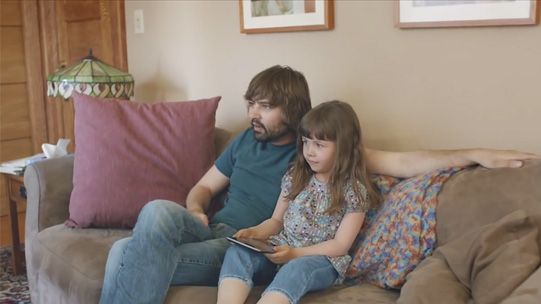
After building an infrastructure of the network, in July 2012, Google announced pricing for Google Fiber. The service will offer three options. These include a free broadband internet option, a 1 Gbps internet option for $70 per month and a version that includes television service for $120 per month. The internet service includes 1 terabyte of Google Drive service and the television service includes a 2 terabyte DVRrecorder in addition to the Google Drive service. The DVR will record up to eight live television shows simultaneously. The television options also includes a Nexus 7 tablet that will act as a remote control for the system. In addition, television service will also stream live program content on iPad and Android tablet computers. Neighborhoods that receive the service will be selected through demand from Kansas City area residents and Google has set up a website to pre-register for the service.
Source: Wikipedia.
Friday, 16 August 2013

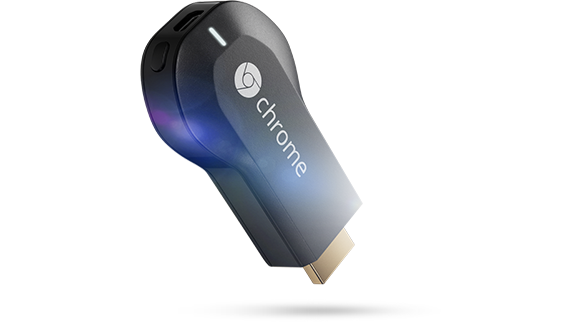
Chromecast

Chromecast works with devices you already own, including Android tablets and smartphones, iPhones®, iPads®, Chrome for Mac® and Chrome for Windows®. Browse for what to watch, control playback, and adjust volume using your device. You won't have to learn anything new.

Install and run Chromecast on your other Android device. It should scan for, and detect, your CheapCast "device."
Now run any of the three apps that are currently Chromecast-compatible: Google Play (Music or Movies & TV), Netflix, and YouTube. Once you start playing a video, you should see the Chromecast icon in an upper toolbar. Tap it, then choose CheapCast.
That's it! Now you've got yourself a poor man's Chromecast. The developer notes that the app is an early beta, so don't be surprised if you run into some glitches along the way.

When Google announced the Chromecast wireless streaming device it rocked the tech industry. For just $35 shipped, the Google Chromecast will turn any ‘dumb’ HDTV into a ‘smart’ TV that is capable of streaming media from Netflix and YouTube. You can also send entire tabs from the Chrome browser on Macs and PCs, which means you can basically put any site or service on TV with just the click of a button. This tiny little HDMI dongle offers a painless way to wirelessly transfer your favorite content from your phone, tablet or laptop straight to your TV.